Shopify Plus migration · Canada, US and Australia · 180+ stores built
Shopify Plus migration for big catalogues and B2B stores
A Shopify Plus migration moves your products, customers, orders, content and URLs from Magento, Salesforce Commerce Cloud, BigCommerce, WooCommerce or a custom platform onto Shopify Plus, then rebuilds what doesn't move as data: B2B pricing, checkout rules and integrations. A standard store takes us 4–8 weeks. A large B2B catalogue with an ERP takes 10–16.
The biggest one we've done had more than 120,000 products and a separate product list for every company that bought from it. That project shaped most of what's on this page.
Which platforms can you migrate to Shopify Plus from?
Every source platform breaks in its own places. This is what we've learned to check first on each one. "Moves" means it comes across as data. "Rebuild" means someone has to recreate it on Shopify, because there's no export that carries it.
Magento / Adobe Commerce
Magento to Shopify guide- Moves as data
- Simple and configurable products, categories, customers, order history, CMS pages
- Gets rebuilt
- Customer-group pricing and tier prices (become B2B companies and catalogues), extensions, layered navigation, custom checkout steps
- Watch for
- Configurable products with more than 3 options, or more than 2,048 combinations, have to be split or reshaped. .html URLs all need redirects.
Salesforce Commerce Cloud
formerly Demandware
- Moves as data
- Catalogue and price book data, customer and order exports, content assets
- Gets rebuilt
- Cartridges and SFRA or PWA Kit code, promotions engine rules, content slots, multi-site setups (Shopify Markets or expansion stores)
- Watch for
- Price books rarely map 1:1. Decide early which become B2B catalogues and which become Markets prices. Pipeline URLs like /on/demandware.store/ need their own redirect rules.
BigCommerce (incl. Enterprise)
BigCommerce to Shopify guide- Moves as data
- Products, variants, categories, customers, orders, blog posts
- Gets rebuilt
- Stencil theme, option modifiers that change price, customer-group price lists, B2B Edition quote and company features
- Watch for
- Modifiers aren't variants. Each one becomes either a variant, a line-item property or a Function, and the choice changes how inventory is counted.
WooCommerce / WordPress
WordPress to Shopify SEO guide- Moves as data
- Products, variations, customers, orders, posts and pages
- Gets rebuilt
- Plugins (each one is an app, a Function or theme code), ACF fields (become metafields or metaobjects), Woo Subscriptions contracts, membership pricing
- Watch for
- Big content libraries. Blog URLs move from /2023/04/post-name/ to /blogs/news/post-name, so every post needs a redirect and every internal link a rewrite.
Custom and legacy platforms
in-house builds, PrestaShop, Webflow, older carts
- Moves as data
- Whatever the database or API can export. We write the extract.
- Gets rebuilt
- Pricing logic, account rules and integrations that only exist in the old code
- Watch for
- There's no documentation, so we read the code and the database. The two disagree more often than you'd think. Budget a week for discovery.
Project · B2B facility supplies
MyWork Supplies: 120,000+ products, a product list per company
MyWork sold maintenance and facility supplies to businesses, not to the public. Every buyer saw their own products at their own prices, ordered dozens of lines at a time, and needed safety data sheets before anything shipped. We worked on the store from December 2024 to June 2025.
- products in the catalogue
- 120,000+
- product list and quick-order page
- 1 per company
- of build, Dec 2024 to Jun 2025
- 7 months
What we built
- A quick-order page that shows each buyer only the products assigned to their company and location, with search, sorting, category and product-type filters, and add-to-cart for many lines at once.
- Variant pickers that change per customer: options are hidden or pre-selected depending on the account, with a taxable or non-taxable choice for buyers who need it.
- Unit-of-measure labels on product and quick-order pages, so "case of 12" and "each" never get confused at 120,000 SKUs.
- Product data for the trade: MSDS safety sheets, supplier ID and manufacturer number as structured fields, not text pasted into descriptions.
- A checkout extension that recommends items from the same collection, then the same type and vendor, with quantity steppers, so reorders happen inside checkout.
The lesson we took from it: at this size, the catalogue structure is the project. Which fields exist, which customer sees which product, and what a "variant" means for a box of gloves get decided before a single product is imported. Fixing that after launch means re-importing everything.
Other large and B2B projects
Two of these are public case studies. The others are private clients, so we describe the work and leave out the names.
Shopify Plus · B2B · kitchen and bath
VIGO
A Shopify Plus store with 12,000+ products, some carrying more than 140 metafields each, and separate account tiers for installers, wholesale buyers and resellers.
- 12,000+ products
- 140+ metafields on some products
- Reseller approval flow
Magento to Shopify · ERP · B2B
Textile distributor
Products and images moved off Magento, with SKU-matched images from the old catalogue. Product attributes now come from their Acumatica ERP, and 971 trade accounts were matched to tiered B2B catalogues.
- Magento source
- Acumatica ERP
- 971 B2B companies
Headless Shopify · PIM sync
Wallcovering brand
A headless Shopify build where 18,000+ products sync from the brand's PIM through a database into Shopify using bulk operations, with change detection so only edited products are re-sent.
- 18,000+ products
- PIM to Shopify sync
- Bulk operations
Headless Shopify Plus
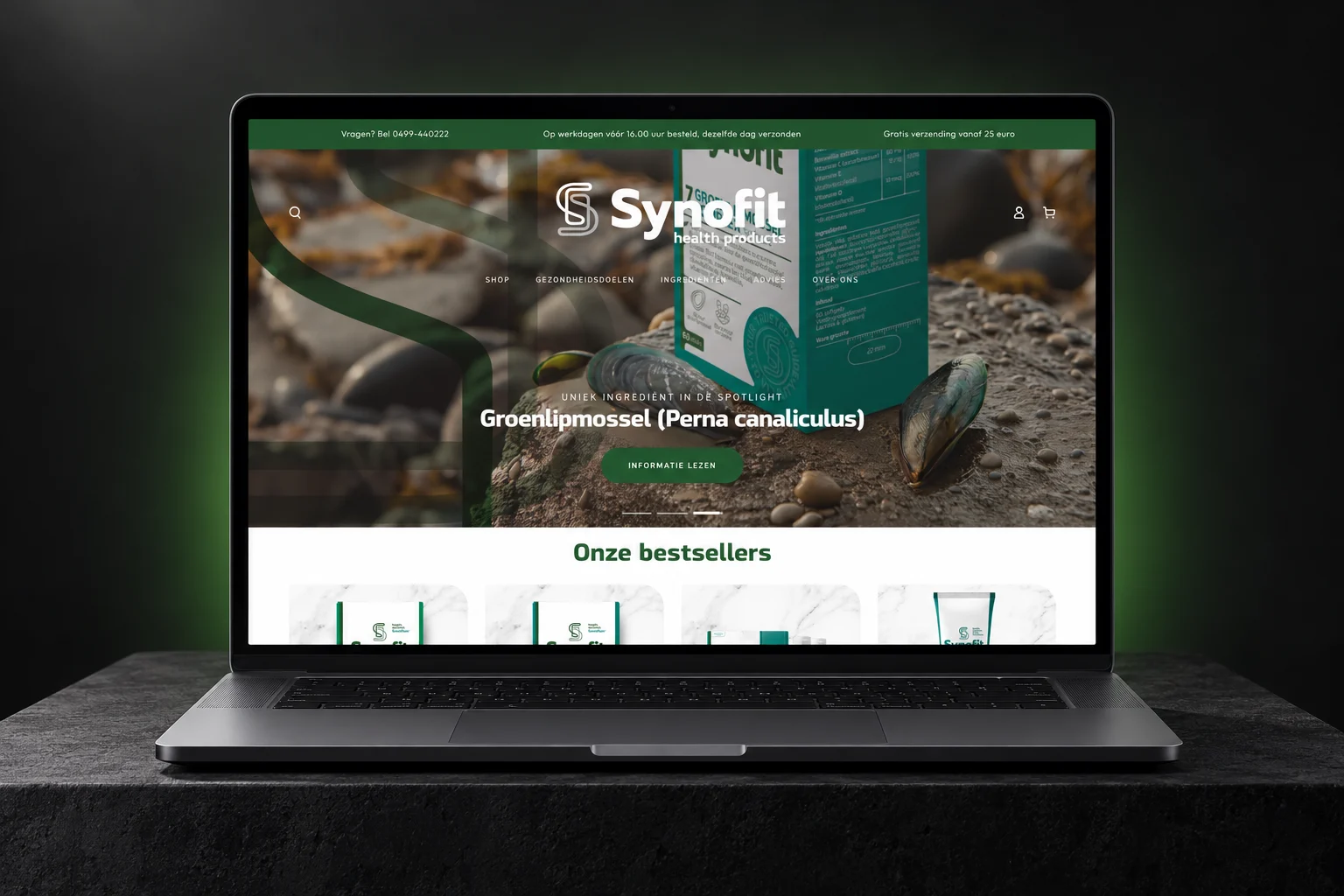
Synofit
A headless Shopify Plus store on Next.js with Contentful for content, selling direct and supplying more than 1,200 stockists.
- Shopify Plus
- Next.js + Contentful
- 1,200+ stockists
How long does a Shopify Plus migration take?
A standard store moves in 4–8 weeks. A B2B catalogue with an ERP and tens of thousands of products takes 10–16, and most of the extra time goes into data, not design. These are the phases for the larger kind.
Phase 1: Weeks 1–2
Discovery and data audit
We export everything and count it: products, variants per product, attributes, customer groups, price rules, redirects, integrations. Then we list what moves as data and what has to be rebuilt.
You getScope, fixed price, data map
Phase 2: Weeks 2–5
Catalogue model and test imports
Metafield definitions first, then a test import of a few thousand real products. Buyers and your team check them on a dev store before the full catalogue moves.
You getSigned-off product model
Phase 3: Weeks 4–12
Build: theme, B2B, checkout, integrations
Theme and templates, B2B companies and catalogues, checkout extensions and Functions, then the ERP, PIM and 3PL connections. These run in parallel once the product model is fixed.
You getWorking store on real data
Phase 4: Weeks 10–13
Full import and URL mapping
The full catalogue goes in through bulk operations, customers and order history follow, and every old URL with traffic or links gets a redirect.
You getComplete store, redirect file
Phase 5: Weeks 12–15
Testing with real buyers
Your sales team and a few trusted accounts place real orders: their prices, their catalogues, their payment terms. Nothing launches on our testing alone.
You getIssue list closed
Phase 6: Week 16 onward
Cutover and the first month
A final sync of orders and stock changes since the full import, a DNS switch, then daily checks of orders, integrations and Search Console. Support continues for 3 months after launch.
You getLive store, 3 months of support
How do you move 100,000+ products without breaking anything?
Not with CSV. Shopify's product CSV import is capped at 15 MB per file and can't be stopped once it starts. At six figures of products that means dozens of files and no way to roll back a bad one. We import through the Admin API's bulk operations instead, in batches we can check and re-run.
Plus gives integrations 1,000 points per second on the GraphQL Admin API, against 100 on standard plans and 200 on Advanced. Stores with more than 500,000 variants are limited to creating 10,000 new variants a day, and Plus stores are exempt from that limit. For a big catalogue the difference is days of import, not hours.
Variants need planning. Shopify now allows 2,048 variants per product, but still only 3 options. Industrial and B2B catalogues often have five or six attributes per item. The extras go into metafields, or the product is split. That decision changes your filters, your search and your ERP mapping, so it's made in week two, not during import.
Then a freeze. Between the full import and launch day, the old store keeps taking orders. We sync the changes in a final delta run, so nobody has to stop selling for a week.
What happens to Magento extensions, checkout code and Shopify Scripts?
They get rebuilt, and some of it can't come across as it is. On Shopify, checkout logic now lives in two places: checkout UI extensions for what the buyer sees, and Shopify Functions for discounts, shipping and payment rules. On Plus you can also put your own custom Functions in a private app. On other plans you're limited to the public Function apps in the App Store.
Old customisation methods are gone. checkout.liquid stopped working on the information, shipping and payment pages on 13 August 2024. Shopify Scripts stopped running on 30 June 2026. An agency quoting you a Scripts-based discount setup today is quoting something that won't run.
So we list every rule your current checkout applies, from minimum order values and payment terms to freight rules and hidden payment methods for certain accounts, and match each one to an extension, a Function, a B2B setting or an app. Some rules turn out to be things nobody uses any more. We ask before we rebuild them.
How much does a Shopify Plus migration cost?
Two bills: Shopify's and ours. Shopify's plan fee is published. Ours depends on the data and the integrations far more than on the design.
| Item | Cost | Notes |
|---|---|---|
| Shopify Plus plan, Canada | from CA$3,400/month on a 3-year term, CA$3,650 on a 1-year term | Higher-volume businesses move to a variable platform fee Shopify quotes privately |
| EVDEV Shopify Plus project | typically CAD $15,000–150,000 | Fixed price, agreed before work starts |
| What moves the price most | catalogue size, B2B rules, number of integrations | Design is rarely the expensive part |
| Apps replacing extensions or plugins | varies, usually monthly | We price your app stack at your order volume before you sign |
| Support after launch | 3 months included | Maintenance after that from CA$299/month |
Full Plus pricing for Canada is in Shopify Plus cost in Canada, and what drives any migration quote is in what a Shopify migration costs.
Will we lose search rankings?
Not if the redirects are right, and at enterprise size they are the riskiest part of the launch. Shopify puts products under /products/ and categories under /collections/, so almost every URL on a Magento or SFCC store changes. We pull every URL that has had organic clicks or backlinks in the past 16 months, map each one to its new address, and test the full list before DNS moves.
After launch we watch Search Console daily for the first two weeks: crawl errors, 404s and pages that lost impressions. The full checklist we use is in our Shopify migration checklist.
Do you need Shopify Plus, or will Advanced do?
You need Plus if you need custom checkout steps, private Shopify Functions, more than 3 B2B catalogues, deposits or partial payments for trade accounts, expansion stores, or more API headroom than Advanced's 200 points per second. Most large B2B catalogues tick at least two of those.
If none of them apply, Advanced is cheaper and you can move up later without migrating again, because changing plan doesn't move your data. We've told companies that on the first call. The full comparison is in Shopify Plus vs Shopify, and the money side in is a Shopify Plus migration worth it. We're a Shopify Select Partner. Plus features belong to your plan, not to an agency's partner tier.
Shopify Plus migration questions
- How long does it take to migrate to Shopify Plus?
- A standard replatform from Magento, BigCommerce or WooCommerce takes us 4–8 weeks. A large B2B store with tens of thousands of products, an ERP and custom pricing takes 10–16 weeks. Most of the extra time goes into the product data model and test imports, not design. Moving an existing Shopify store from Advanced to Plus is a plan change and is covered on our Shopify Plus agency page.
- How much does a Shopify Plus migration cost?
- Our Shopify Plus projects typically cost CAD $15,000–150,000, at a fixed price agreed before work starts. Catalogue size, B2B rules and integrations move the price more than design does. Shopify's own Plus plan starts at CA$3,400 a month on a 3-year term in Canada (shopify.com, checked 20 October 2026).
- Can Shopify Plus handle 100,000+ products?
- Yes. Shopify has no product limit on any plan, and we've run a B2B store with more than 120,000 products. The real limits are 3 options and 2,048 variants per product, and on non-Plus plans a cap of 10,000 new variants a day once a store passes 500,000 variants. Plus is exempt from that cap, which matters during the import (shopify.dev, checked 20 October 2026).
- Can we migrate Magento customer groups and tier pricing to Shopify Plus?
- Yes, but not as-is. Customer groups become B2B companies and locations, and tier prices become catalogues with volume pricing. Plus allows unlimited catalogues assigned straight to companies and locations, while lower plans allow 3. We map every group and price rule before building, because some are usually no longer in use.
- Can we migrate from Salesforce Commerce Cloud to Shopify Plus?
- Yes. Catalogue, price book, customer and order data export from SFCC. Cartridges, SFRA or PWA Kit code, promotion rules and content slots get rebuilt as apps, Functions, theme sections and metaobjects. Multi-site setups become Shopify Markets or expansion stores. The biggest decision is how price books map to B2B catalogues and market prices.
- Do customer passwords and order history transfer?
- Order history and customer records transfer. Passwords don't, because no platform hands over passwords in a form Shopify can use. Customers get an account invitation at launch. We write that email so it reads like a welcome, not a security warning, and B2B buyers usually get a personal note from their rep as well.
- Will we lose SEO rankings when we move to Shopify Plus?
- Not if every URL with clicks or links gets a tested redirect before launch. Shopify uses fixed /products/ and /collections/ paths, so most Magento and SFCC URLs change. We map them from 16 months of Search Console and backlink data, then watch Search Console daily for two weeks after launch.
- Is there downtime during the cutover?
- Not usually. The old store keeps selling until launch day. We run a final sync of new orders, customers and stock, then switch DNS, which normally takes minutes to settle. We schedule the switch for your quietest hours and keep the old platform readable for a few weeks in case anything needs checking.
- What happens to our Shopify Scripts or Magento extensions?
- Shopify Scripts stopped running on 30 June 2026, and checkout.liquid no longer works on the information, shipping and payment pages. Their logic gets rebuilt as Shopify Functions and checkout UI extensions. Magento extensions are replaced by an app, a Function or theme code, case by case. Custom private Functions need a Plus plan.
- Do we need Shopify Plus, or is Advanced enough?
- Plus is needed for custom checkout steps, private Functions, more than 3 B2B catalogues, deposits and partial payments, expansion stores or API traffic above 200 points per second. Without those, Advanced costs less and you can upgrade later without migrating again. See Shopify Plus vs Shopify.
Tell us what you're moving
Platform, catalogue size and the systems it talks to. That's enough for a first call. You'll leave it with a rough timeline and the three things most likely to go wrong on your store, whether or not you hire us.